Content Sync Toolkit 1.0.0-beta.4: Inside Content Synchronization
Table of Contents
The Content Sync Toolkit shows what still needs syncing from an Xperience by Kentico instance to its Content Sync target. 1.0.0-beta.4 is the biggest update so far. The status pages move inside Xperience’s own Content synchronization application. They compare every language at once and show who last changed each item. They also explain more of what you find there: items deleted on the source, items moved to another workspace, and items blocked by a linked item.
Install or Update
Update the package on both instances, the Content Sync source and target:
dotnet add package XperienceCommunity.ContentSyncToolkit --version 1.0.0-beta.4
Registration is now a single call. AddContentSyncToolkitAdmin() is no longer needed, and leaving it in changes nothing:
builder.Services.AddContentSyncToolkit();
One step you can’t skip: editors need View on Content synchronization (Role management → the role → Add permission set). The old Sync status application and its permission are gone, so without it your editors get Access Denied after the upgrade.
Inside Content Synchronization
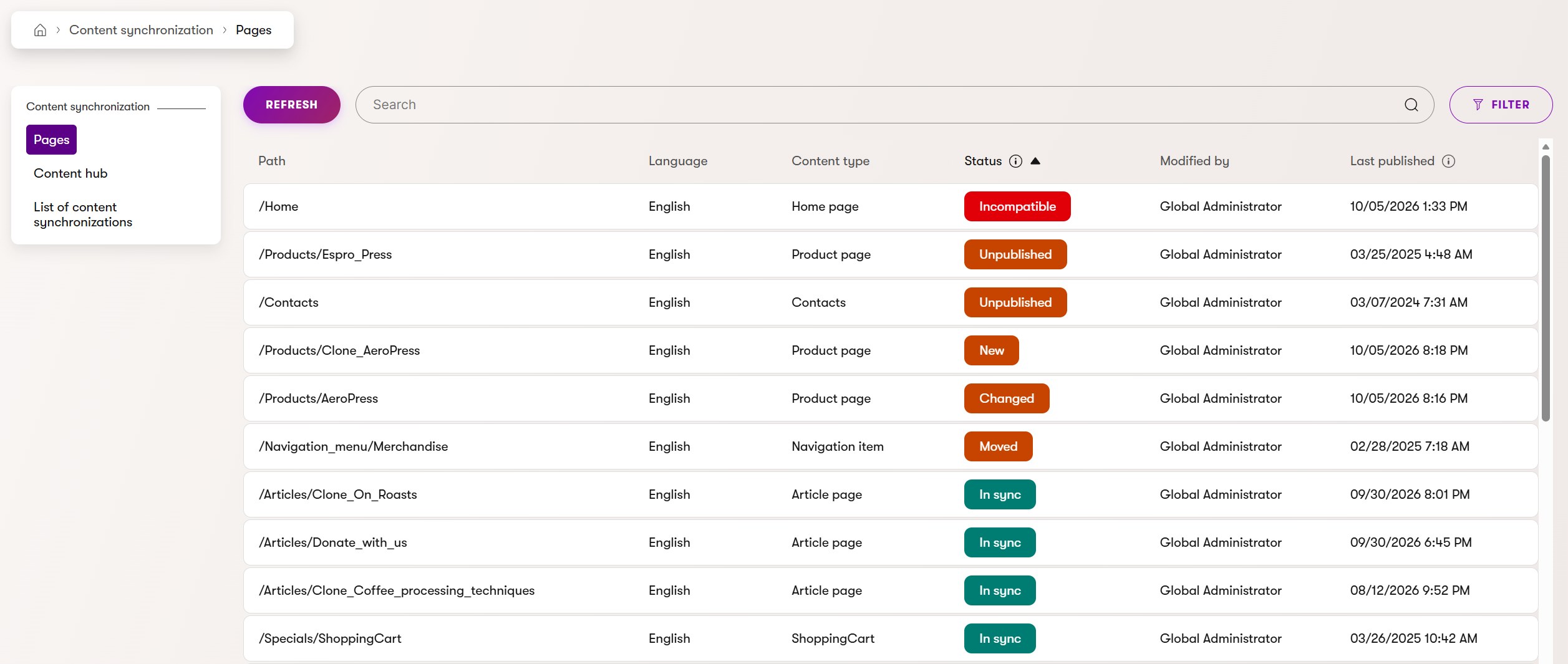
The toolkit used to be its own Sync status application. But Xperience already has a place for this: Configuration → Content synchronization, with its List of content synchronizations. The Pages and Content hub tabs now sit right next to it, at /admin/content-sync, so what’s pending and what was synced are in one place.
Pending First, Nothing Hidden
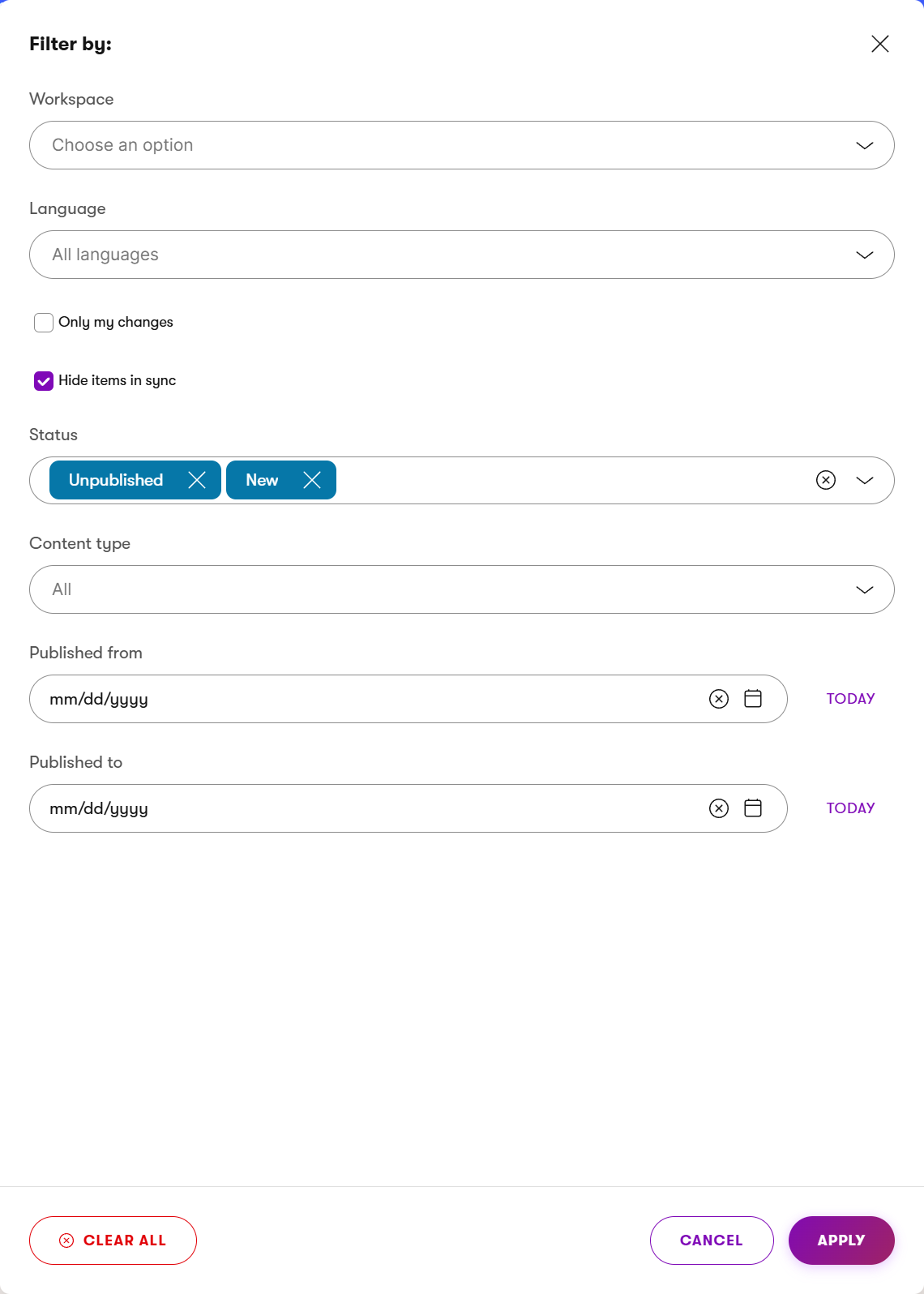
Every item is now listed, sorted by status: what a sync would change comes first, and In sync comes last. If you only want the pending items, check the new Hide items in sync filter, and Xperience remembers it.
This came out of issue #33, reported by Elisha Neil Powers. Thanks! The page opened on the first channel or workspace in alphabetical order. When that one had nothing to list, Xperience hid the whole toolbar, Filter included, so editors had no way to pick another one. Now the page opens on the first channel or workspace with published content the editor can see. And since every item is listed, the toolbar stays.
Every Language at Once
Before, you picked one language, and a change pending in another language was easy to miss. Now, with no language selected, every language version is listed, one row each. On an instance with more than one language, a Language column tells you which version each row is, and the row opens that version. Pick a language in the filter to see only that one.
Who Changed It
The new Modified by column shows who last edited each item on this instance. Saving a draft counts. So before you sync someone else’s change, you know whom to ask. The Only my changes filter, off by default, lists just the items you edited last.
Deleted Here and Moved Here
Content Sync can’t delete content on the target, so the toolkit shows items that only exist there as Only on target and suggests deleting them there. That advice was wrong in two common cases.
Deleted here. If the item is still in this instance’s recycle bin, it shows Deleted here. The tooltip says who deleted it, when, and until when it can be restored, and the row links to the recycle bin:

Moved here. A Content hub item moved to another workspace used to look missing in its old one. Now it shows Moved here, naming its new workspace. Don’t delete it on the target: syncing it from its new workspace moves it there too.

Incompatible Through Linked Items
Content Sync refuses to sync an item when an item it links to, or one of its parent pages, has a content type the target can’t accept. Before, those items showed a status the sync would then fail on. Now they show Incompatible, and the tooltip names the item that causes it.
Page Order Is Optional
Reordered, for a page in a different position among its siblings on the target, is now off by default. Many sites don’t show pages in tree order, so it was mostly noise. If yours does, for example a menu built from the tree, turn it back on with ContentSyncToolkit:ComparePageOrder. Pages under a different parent always show as Moved.
Still Fast on Large Sites
All of these lookups had to stay fast on a large site, so I measured again on the same setup as for beta.3: 20,000 pages and 20,000 Content hub items, the first 2,000 also in Spanish. Then I made the kind of changes a busy source collects between syncs: republished items, drafts, unpublished, new, moved, and 2,300 deleted, most of them still in the recycle bin.
| Listing request, 20,000 items per tab | Pages | Content hub |
|---|---|---|
| Administrator: page, sort, search, filter | 0.4–0.5 s | 0.3 s |
| Administrator: first visit, fetching the target | 1.7 s | 0.9 s |
| Editor who sees pages through page permissions | 0.8–0.9 s | 0.3 s |
Every status came out as expected, Deleted here and Moved here included.
Upgrading
Update both instances. A beta.3 target still works with a beta.4 source, but it can’t show Deleted here for pages. After upgrading:
- Grant View on Content synchronization to your editors’ roles.
- Update bookmarks: the pages moved from
/admin/content-sync-statusto/admin/content-sync. - If you relied on Reordered, set
ContentSyncToolkit:ComparePageOrdertotrue.
If you call the toolkit’s services from your own code, a few signatures changed, so rebuild it. The release notes list them.
The release was checked on both ends of the supported range, Xperience by Kentico 30.8.0 and 31.9.1. See Compatibility.md for the full record. It’s still a beta, so APIs and behavior may change before 1.0.0.
What’s Next
Next, I’m working on syncing straight from the list: select the items you want, or use a Sync action on a row, without hunting for each one in the page tree or the Content hub. Feedback is welcome through GitHub issues, and the Usage Guide has the setup and usage details.
That’s it for today.
Until the next post!