Content Sync Toolkit 1.0.0-beta.5: Sync From the List
Table of Contents
The Content Sync Toolkit shows what still needs syncing from an Xperience by Kentico instance to its Content Sync target. Until now, it told you what to sync, and then you went to the page tree or the Content hub to find each item and sync it there. With 1.0.0-beta.5, you sync right from the list. And the channel, workspace and language moved to the top bar, where Xperience’s own applications have them.
Install or Update
Update the package on both instances, the Content Sync source and target:
dotnet add package XperienceCommunity.ContentSyncToolkit --version 1.0.0-beta.5
Viewing the lists still needs View on Content synchronization. To sync from them, editors need the same permission as Xperience’s own Sync: Synchronize for Content hub in the item’s workspace and, for pages, the Synchronize page permission or Manage permissions on the channel.
Sync From the List
Each row now has a Sync button in its Actions column, and when you tick rows, Sync appears above the list, as in the Content hub. The button is active on rows that have something to sync, and greyed out on the rest.
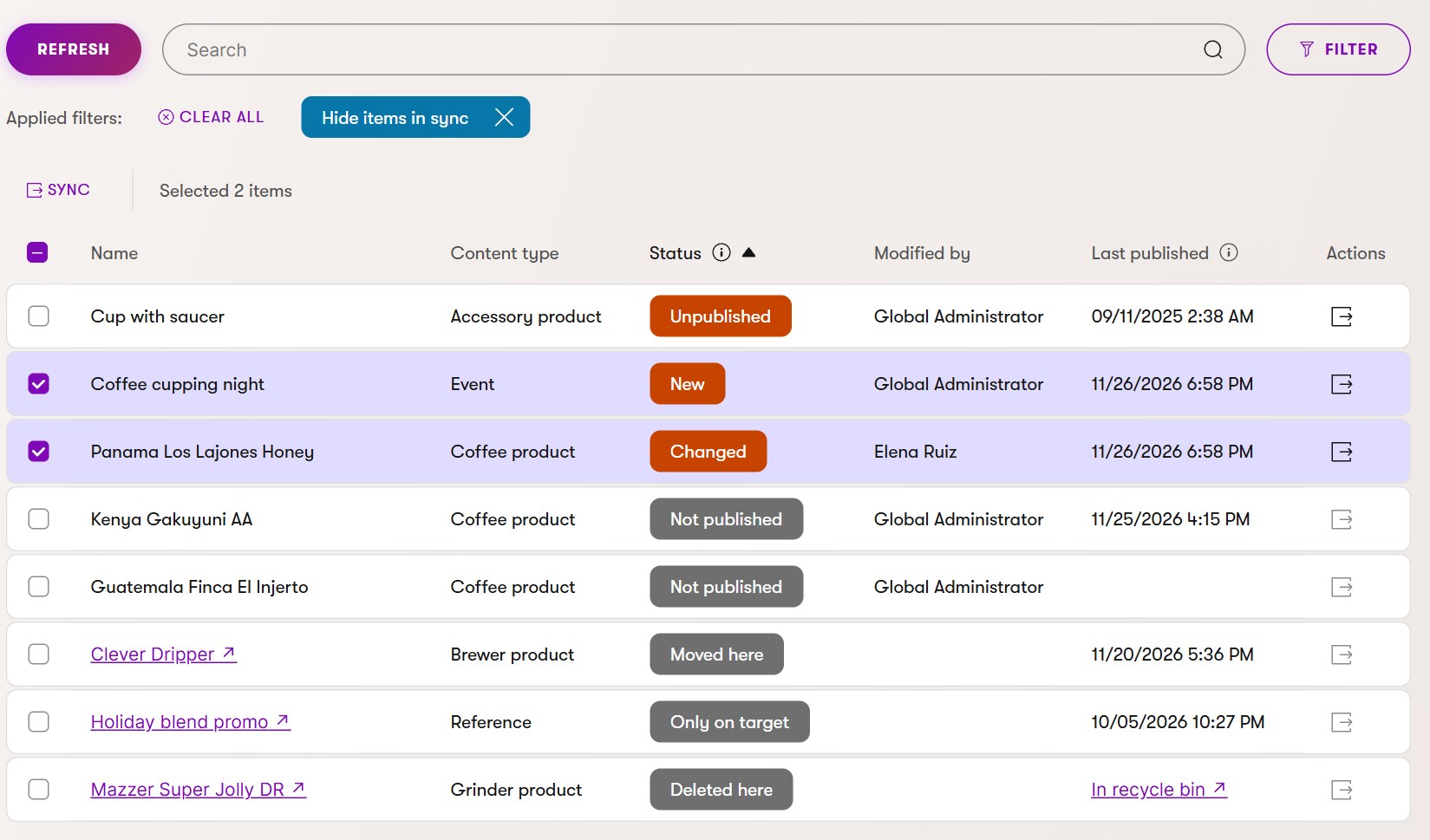
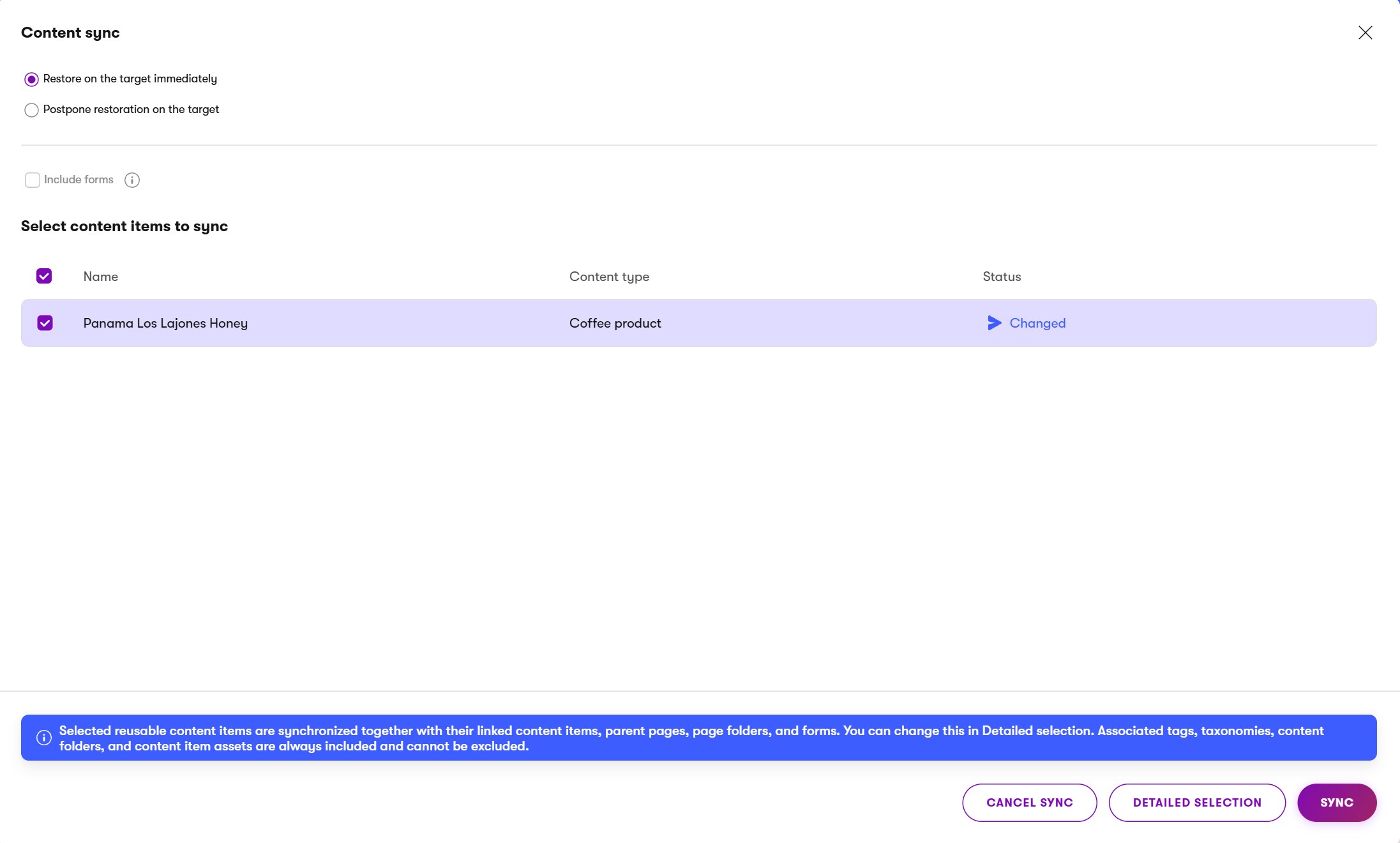
Both open Xperience’s own Content sync dialog, the one Content hub uses, so you see what goes before anything is sent. You can restore on the target right away or postpone it, untick what you don’t want, and use Detailed selection to see everything that goes along, like linked items and parent pages.
Only rows a sync would change can go: Unpublished, New, Changed, Moved and Reordered. For any other row, the button is disabled, and hovering it says why: nothing to sync, no published version yet, a content type the target can’t accept, or a missing permission.
The toolkit also takes care of a few things Content Sync leaves to you:
- Reordered pages take their siblings along, so the order on the target matches.
- Large selections are split into syncs of at most 200 pages or 1,000 content items, as Kentico recommends.
- Rows in a running sync show Syncing, a failed sync shows a message at the top of the page, and every sync gets an Event log entry with its items and who started it.
On Xperience versions without that dialog, such as 30.8.0, Sync asks for confirmation instead. If you’d rather keep the lists read-only, set ContentSyncToolkit:SyncActions to false.
Channel, Workspace and Language in the Top Bar
The channel, workspace and language were filter fields, a click away and easy to miss. Now they’re dropdowns in the admin’s top bar, as in the Content hub and the page tree.
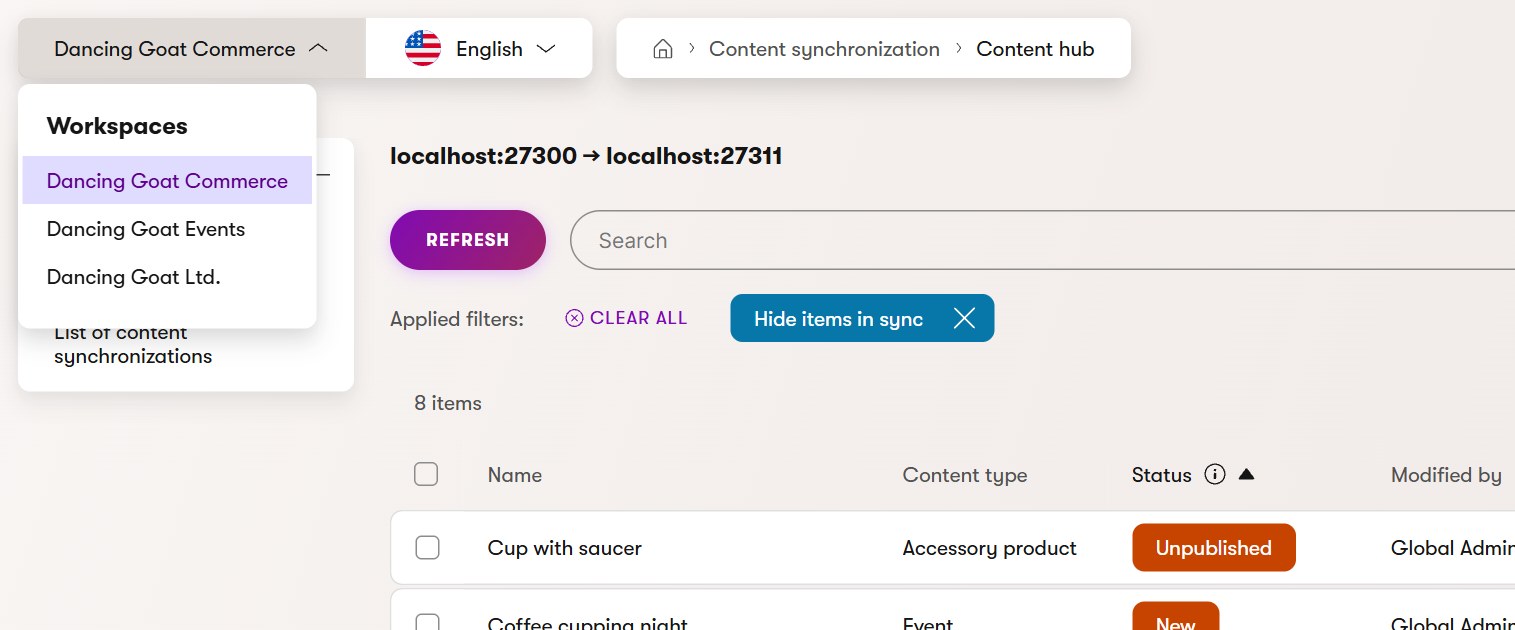
Each list shows one language at a time. Beta.4 listed every language at once, but syncing works one language at a time, so the list now does too. The lists remember what you picked last, and the address includes it, so Back, Forward, bookmarks and shared links open the same list.
Pending Items When You Open It
On Xperience 31.2.0 and newer, the lists open with Hide items in sync applied, so you see only what’s pending. Remove it to see everything, pending items first.
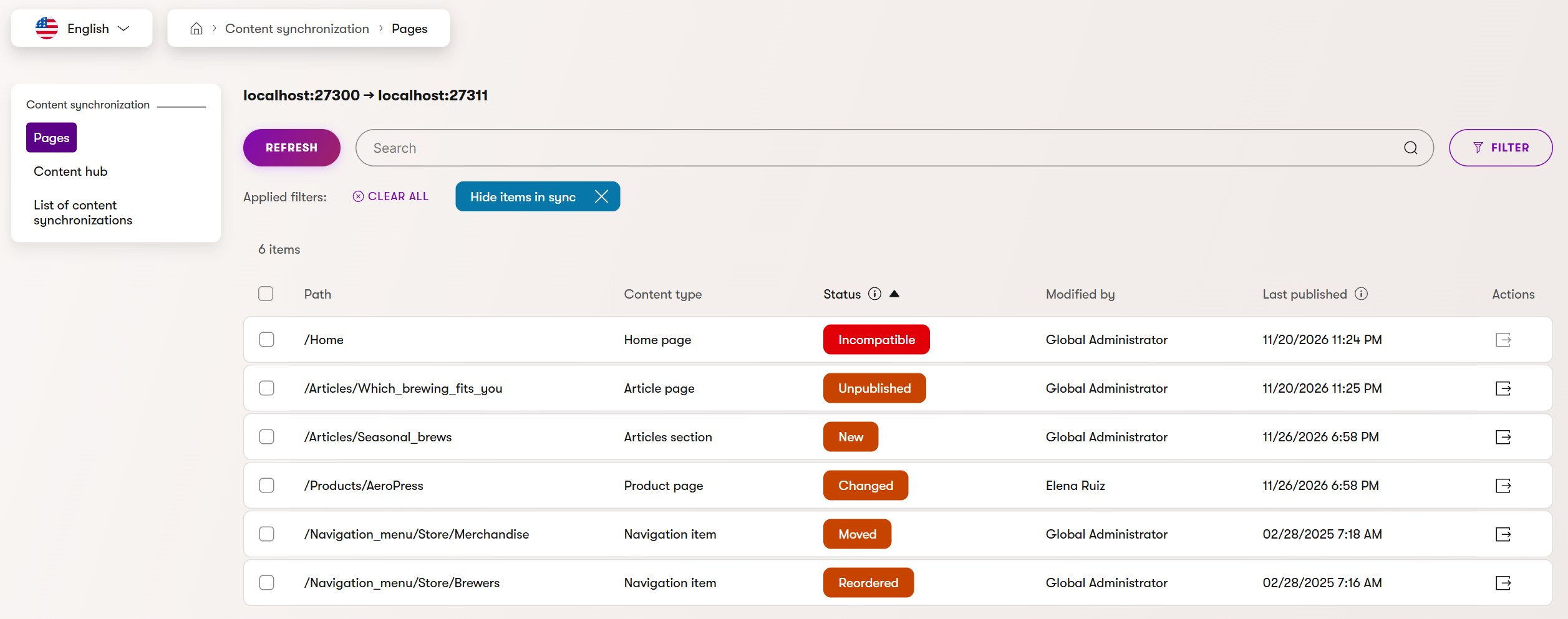
The top of the page also says which two instances you’re comparing, for example localhost:27300 → localhost:27311. Give them names with ContentSyncToolkit:InstanceLabel and ContentSyncToolkit:TargetLabel, like “Staging” and “Production”.
Moved Here, Corrected
Beta.4 said that syncing an item from the workspace it moved to also moves it there on the target. It doesn’t. Content Sync updates the item but leaves it in its old workspace on the target. I corrected the beta.4 post, and the toolkit now says it right: Moved here tells you to move the item to its new workspace on the target yourself, and not to delete it there.

In its new workspace, the item no longer shows as New. It’s compared with the copy the target still has in the old workspace, and its tooltip notes the move.
Upgrading
Update both instances. With a beta.4 target, everything works except that an item moved to another workspace still shows New in its new workspace. After upgrading:
- Grant the Synchronize permissions above to the editors who should sync.
- Expect one language per list: switch languages in the top bar.
- Old links to
/admin/content-sync/pagesand/admin/content-sync/content-hubstill work and open the default or last-used list.
Switching in the top bar keeps Content synchronization’s left menu through admin behavior Kentico doesn’t document. If an Xperience update breaks that, set ContentSyncToolkit:FullReloadOnSwitch to true until the toolkit catches up.
If you use the admin classes from your own code, some members changed, so rebuild it. The release notes list them.
The release was checked on both ends of the supported range, Xperience by Kentico 30.8.0 and 31.9.1. See Compatibility.md for the full record. It’s still a beta, so APIs and behavior may change before 1.0.0.
What’s Next
Next, I’m preparing the road to 1.0: reviewing the public API and smoothing a few rough edges in the lists. Feedback is welcome through GitHub issues, and the Usage Guide has the setup and usage details.
That’s it for today.
Until the next post!