Bulk Submission Removal in Xperience Community Forms Toolkit (v1.0.0-beta.4)
Table of Contents
In the initial toolkit post, I introduced export features for form submissions, and in the form cloning post I added a way to duplicate forms. v1.0.0-beta.4 rounds out the toolkit with a capability that was clearly missing: a way to remove submissions in bulk, plus a refreshed export experience to match.
Install or Update
dotnet add package XperienceCommunity.FormsToolkit --version 1.0.0-beta.4
Registration is unchanged:
builder.Services.AddFormsToolkit();

// Later, while mapping endpoints:
app.MapControllers();
Removing Submissions
From Forms -> selected form -> Submissions, check one or more rows using the listing’s native selection checkboxes (including “select all” in the table header), then select Delete in the toolbar that appears below the search bar.
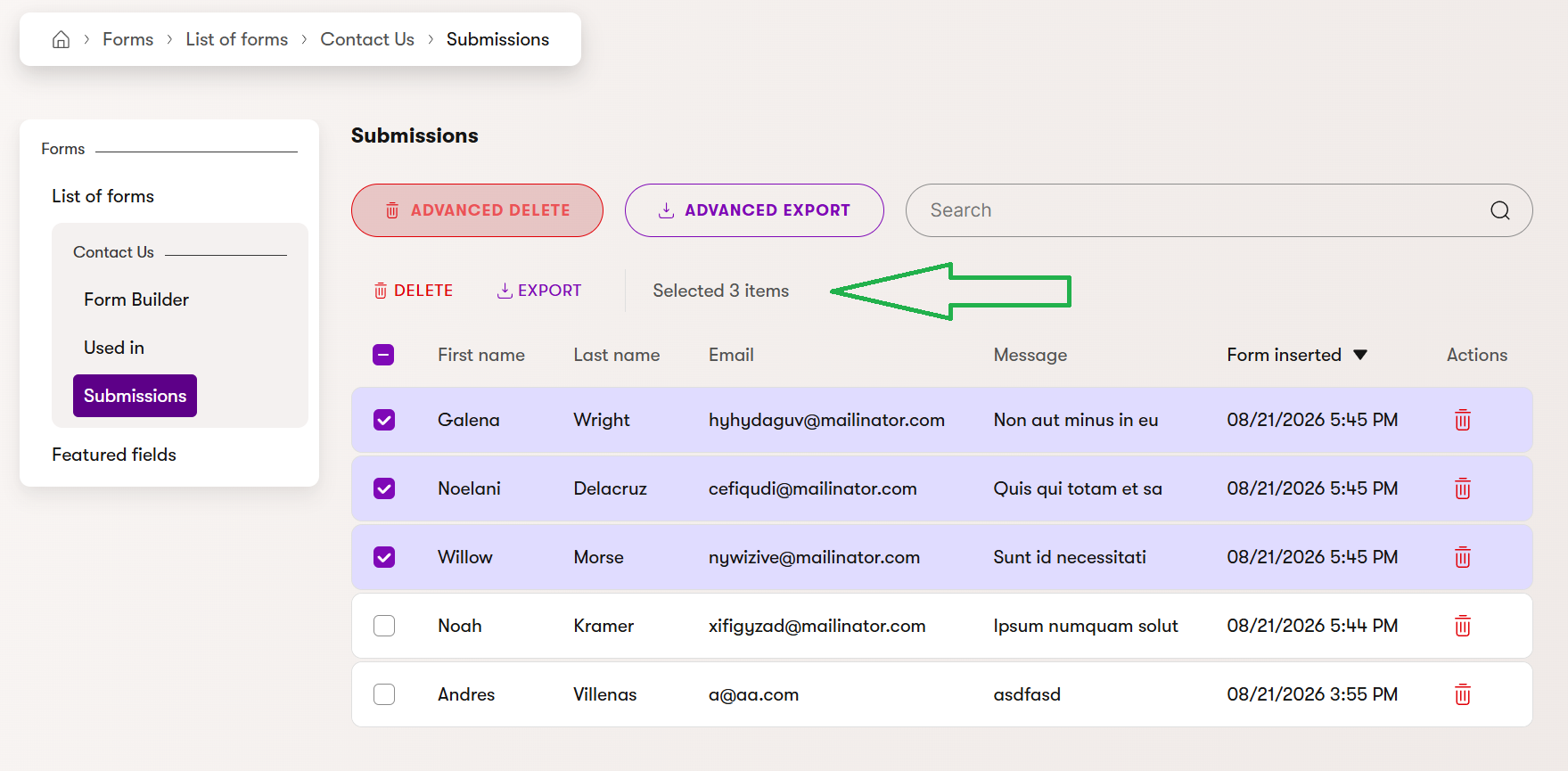
That covers a hand-picked selection. For removing submissions by criteria instead, use Advanced delete in the page header.
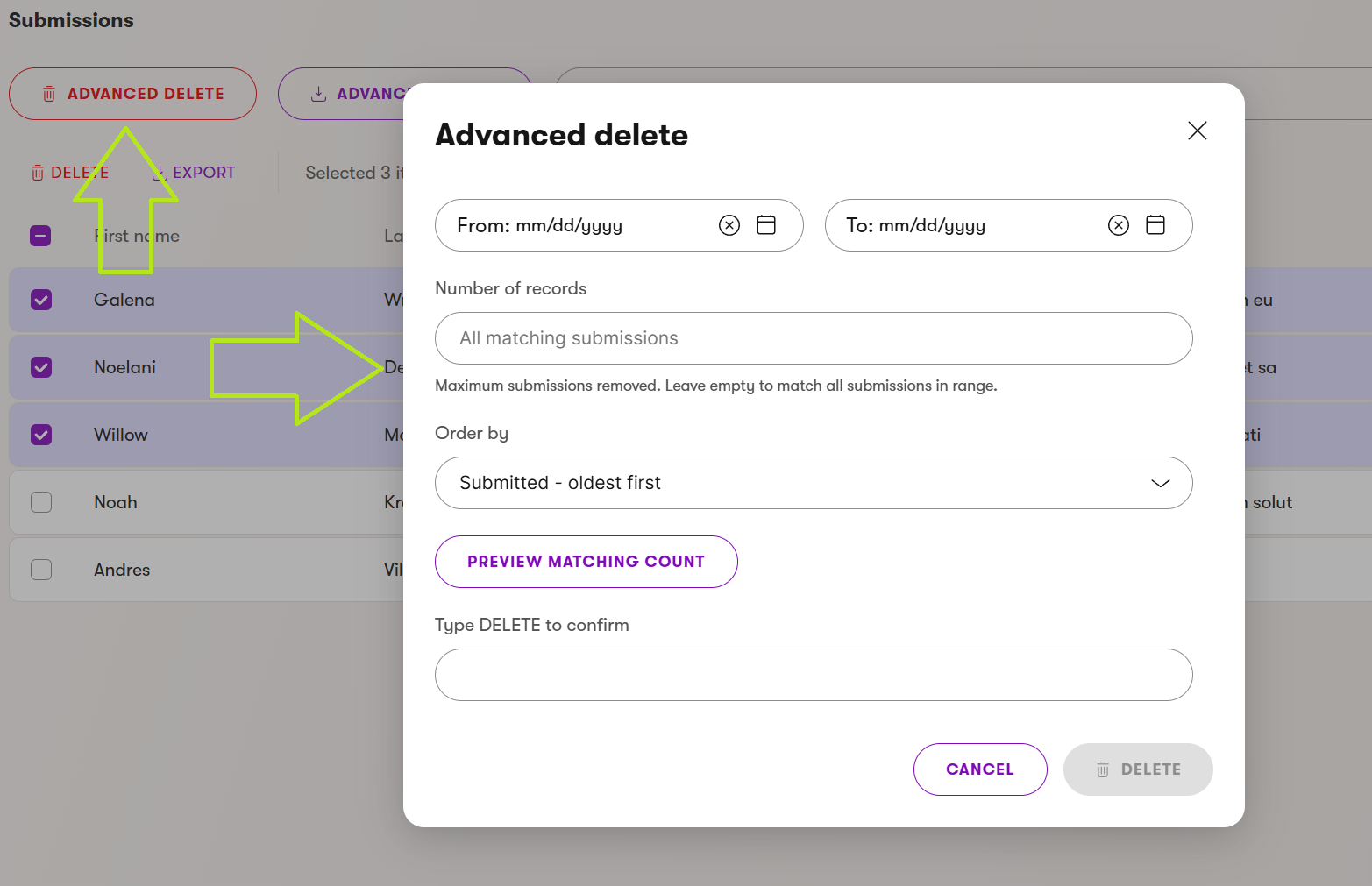
Advanced delete mirrors Advanced export’s date range, record limit, and ordering options, then adds two safeguards before anything is removed:
- Preview matching count is required before deletion is allowed, and any further filter change invalidates the preview.
- Typing the exact word
DELETEis required to confirm. There’s also an Export these first shortcut if you want a copy before removing the matching submissions.
Both deletion paths are permanent. There’s no undo or recycle bin, and both also delete each submission’s uploaded files, not just the database row.
A Refreshed Export Experience
While adding deletion, the export side got a matching cleanup. The header used to open a dropdown with quick CSV/Excel/XML shortcuts for the current page, plus an “Advanced export” item buried inside it. That’s gone now: Advanced export is a single button that opens the same dialog directly, styled to visually pair with Advanced delete instead of competing with it for attention.
The page-scoped shortcut wasn’t needed anyway — checking every row via “select all” and using Export does the same thing through the same selection mechanism you’d use for a partial export. One fewer concept to learn, same result.
Both Advanced export and Advanced delete are hidden entirely for a form with no submissions yet, since there’s nothing to act on until the form receives its first one.
Permissions
Submission removal ships behind its own permission, independent from export:
XperienceCommunity.FormsToolkit.DeleteSubmissions
Grant it under Role management for the roles that should be able to delete submissions. A role can export without deleting, or the reverse — they don’t imply each other.
For complete setup and usage details, check the project README and usage guide.
That’s it for today.
Until the next post!