Form Cloning in Xperience Community Forms Toolkit (v1.0.0-beta.3)
Table of Contents
In the initial toolkit post, I introduced export features for form submissions. In v1.0.0-beta.3, the toolkit also includes a new form cloning workflow.
This release adds a Clone form action directly in the Forms listing, so administrators can duplicate an existing form without rebuilding it manually.
Install or Update
dotnet add package XperienceCommunity.FormsToolkit --version 1.0.0-beta.3
Then make sure the toolkit is registered as before:
builder.Services.AddFormsToolkit();

// Later, while mapping endpoints:
app.MapControllers();
Cloning a Form
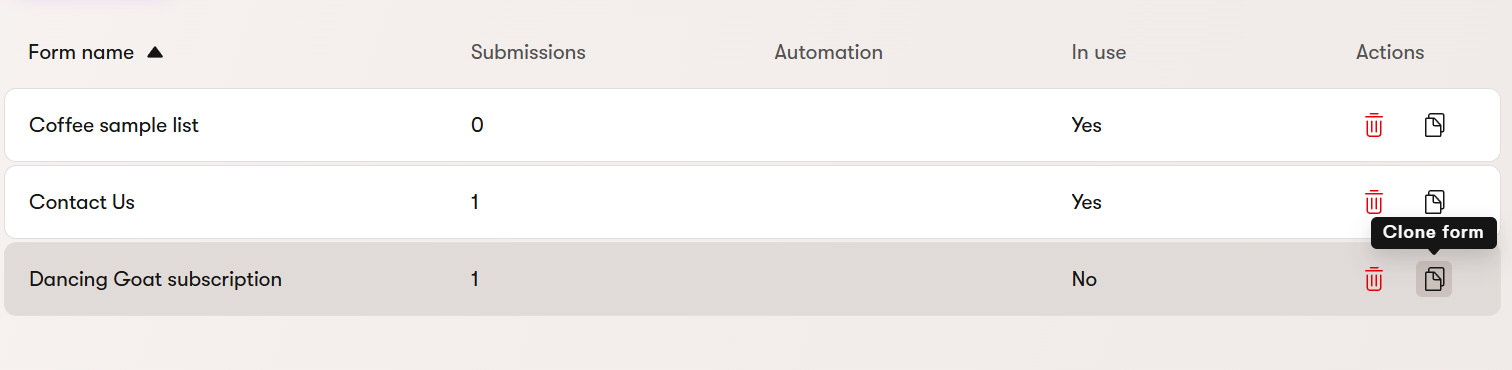
From Forms, open a form row action and select Clone form.
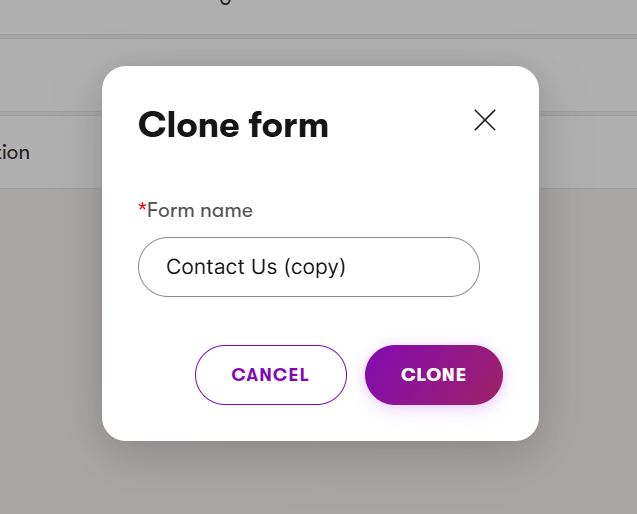
The clone dialog opens with a prefilled form name in the format <original name> (copy). You can keep it or edit it before confirming.
After a successful clone, the list refreshes and shows a success message.
What Gets Copied
The clone keeps the source form’s structure and supported settings, including:
- Form Builder layout
- Field definitions and ordering
- Validation and visibility configuration
- Contact mappings
- Authorized role access
What Does Not Get Copied
By design, the clone starts clean:
- No submissions are copied
- No page/widget usage references are copied
- No notification, autoresponder, or automation relationships are copied
This keeps the cloned form independent and safe to adjust before putting it into use.
Why These Relationships Are Excluded
This behavior is intentional. The toolkit uses supported public Xperience APIs only.
For autoresponders in particular, there is a public API to create autoresponder processes, but there is no supported public API to read an existing form’s autoresponder configuration in a way that can be safely cloned. Reproducing that behavior would require relying on internal APIs, which can change without compatibility guarantees.
For the same reason, notification and automation relationships are not cloned automatically. Keeping these runtime relationships attached only to the source form avoids hidden side effects and keeps the clone predictable, compatible, and safe across supported Xperience versions.
Permissions and Configuration
Users need the Forms Create permission to clone forms.
Form cloning is enabled by default. If needed, you can disable only cloning and keep export features enabled:
builder.Services.AddFormsToolkit(options =>
{
    options.EnableFormCloning = false;
});
For complete setup and usage details, check the project README and usage guide.
That’s it for today.
Until the next post!