A Forms Toolkit for Xperience by Kentico
Table of Contents
I have created a new open-source project for Xperience by Kentico: the Xperience Community Forms Toolkit.
The toolkit is intended to collect practical extensions for forms. The first feature makes it possible to export form submissions in CSV, Excel, and XML formats. This is useful when editors need to work with submissions outside the administration interface, or when a project needs a simple way to move form data into another process.
Getting Started
The package is currently available as a prerelease for Xperience by Kentico 30.11.0 and newer. Add it to an application with the .NET CLI:
dotnet add package XperienceCommunity.FormsToolkit --version 1.0.0-beta.2
Register the toolkit in Program.cs and map controllers as usual:
builder.Services.AddFormsToolkit();

// Later, while mapping endpoints:
app.MapControllers();
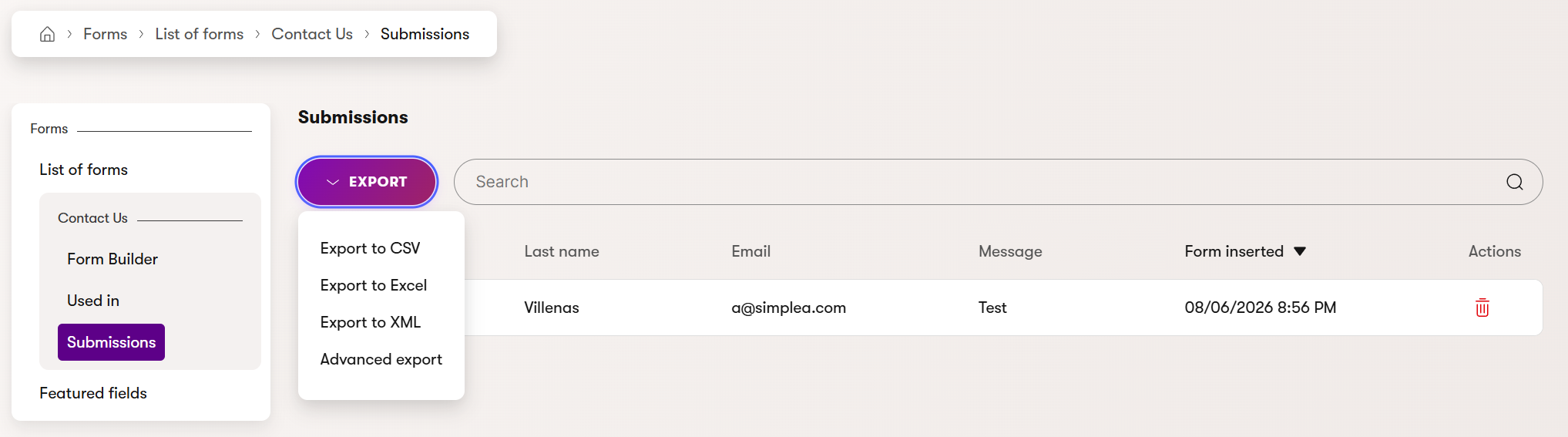
After installation, grant the Export form submissions permission to the appropriate administration roles. The export action is then available under Forms -> selected form -> Submissions.
Exporting Form Submissions
From the submissions screen, editors can choose the export action and select the format that best fits their workflow. CSV is convenient for quick analysis, while Excel is useful when the data needs to be reviewed or shared in a spreadsheet. XML is available for integrations and other structured-data scenarios.
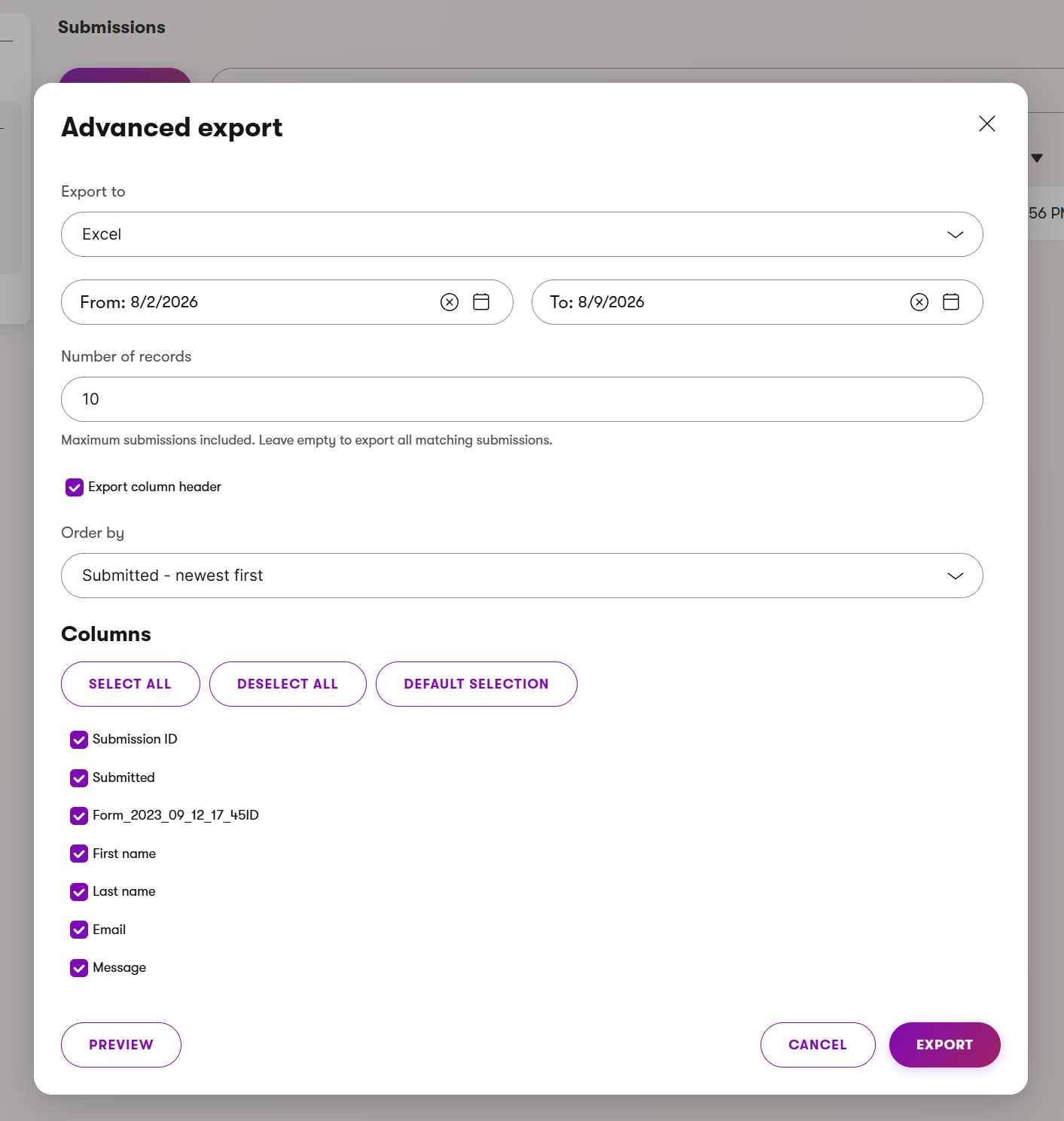
The toolkit also includes an Advanced Export window for more control over the export. You can choose CSV, Excel, or XML; filter submissions with inclusive From and To dates; limit the number of records; and choose whether submissions are ordered oldest-first or newest-first. For CSV exports, you can also select the delimiter. The dialog lets you configure column headers and choose which form fields to include. A preview downloads a sample file with up to 100 matching records before you create the full export.
A Community Project
This is a community project maintained by SimpleA and me. It is not an official Kentico product, and its APIs and behavior may change before the first stable release. The project is released under the MIT License, and contributions and feedback are welcome through GitHub issues and pull requests.
Form cloning and other utilities are planned for future versions. For compatibility details and the complete usage guide, visit the Forms Toolkit repository.
That’s it for today.
Until the next post!